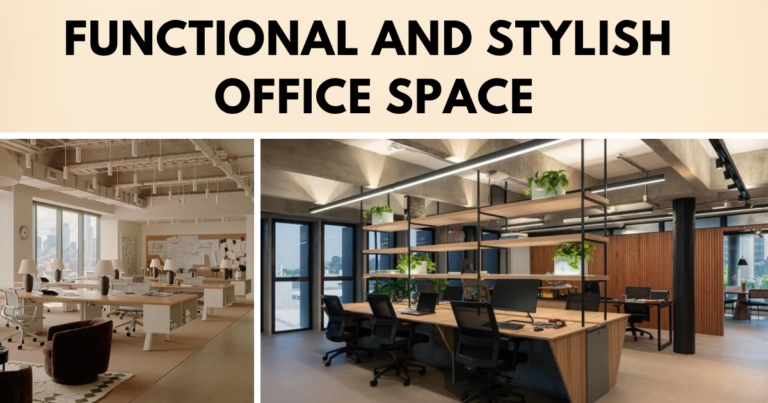

In today’s fast-paced work culture, the physical environment plays a major role in how people perform, feel, and function. Commercial interior design is no longer just about appearance, it must support comfort, movement, and long-term health. This is where ergonomics becomes essential. By focusing on how spaces interact with the human body, ergonomic design helps reduce strain, improve posture, and boost daily performance.
A well-planned commercial space considers how furniture, layout, lighting, and tools affect the people using them. From offices and retail stores to hospitality and healthcare settings, the goal is to create spaces that make tasks easier, reduce fatigue, and support natural body movements. Businesses that adopt ergonomic design not only improve employee well-being but also create environments where productivity and satisfaction can grow. Ergonomics is not a luxury, it is a smart investment in comfort, efficiency, and long-term success.
This blog will explore the importance of ergonomics in commercial interior design, highlighting how it can transform a business space into an efficient, comfortable, and stylish environment.
Outline
- What is Ergonomics in Commercial Interior Design?
- Definition and Scope
- Why Ergonomics Matters in Commercial Spaces
- Benefits of Ergonomics in Commercial Interior Design
- Enhances Employee Productivity
- Maintains Employee Health and Comfort
- Reduces Workplace Injury and Discomfort
- Key Elements of Ergonomic Commercial Interior Design
- Ergonomic Furniture
- Workspace Layout and Circulation
- Adequate Lighting
- Technology Integration
- Incorporating Ergonomics into Office Design
- Ergonomic Desks and Chairs
- Adjustable Furniture for Flexibility
- Ensuring Proper Desk Heights and PC Position
- Break Rooms and Relaxation Spaces
- Ergonomics in Retail and Hospitality Spaces
- Customer-Centered Ergonomics
- Optimizing Layout for Comfort and Efficiency
- Ergonomic Design for Staff Areas
- How Ergonomics Improves Work Domain
- Positive Impact on Employee Morale
- Encouraging Health-Conscious Habits
- Building a Sustainable, Employee-Centric Environment
- Conclusion: The Future of Ergonomics in Commercial Interior Design
1. What is Ergonomics in Commercial Interior Design?
Definition and Scope
Ergonomics in commercial interior design focuses on creating spaces that support comfort, safety, and performance. It involves designing furniture layouts, selecting appropriate equipment, and planning lighting in a way that supports the natural movements of the human body. This approach helps reduce physical strain, improves posture, and increases work efficiency. A well-designed ergonomic space allows people to work for long periods without discomfort, fatigue, or risk of injury.
The application of ergonomics goes far beyond traditional office settings. It plays a vital role in designing retail stores, healthcare centers, hotels, restaurants, and public buildings. Each type of space has unique needs, but the core objective remains the same—to improve how people interact with their surroundings. In retail, ergonomic design makes the shopping experience more pleasant and accessible. Healthcare, it supports both patients and caregivers by improving comfort and reducing stress. In hospitality, it creates environments where guests feel relaxed and staff can move efficiently.
By addressing posture, movement, reach, and usability, ergonomic design becomes an essential part of modern commercial interiors. It helps businesses create functional spaces that support the physical and mental well-being of everyone who uses them
Why Ergonomics Matters in Commercial Spaces
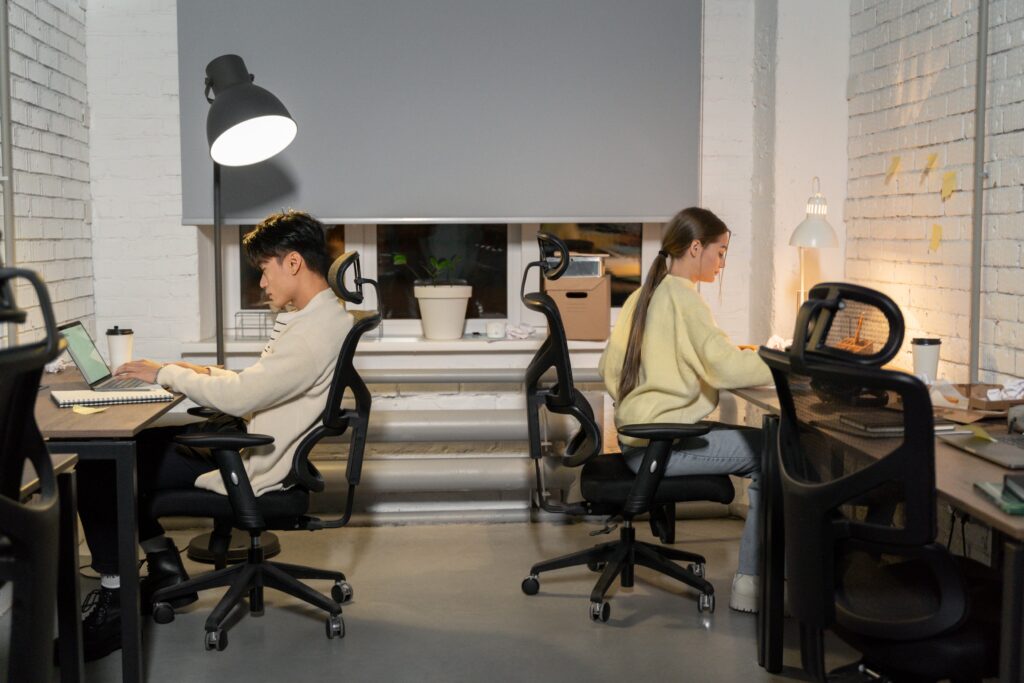
Ergonomics plays a vital role in shaping how people function and feel within commercial spaces. When work environments are not designed with comfort in mind, they often cause physical strain, reduce focus, and lead to long-term health problems such as back pain, joint stress, and muscle fatigue. These conditions affect both well-being and work quality. In contrast, ergonomic spaces support better posture, smoother movement, and reduced pressure on the body. This leads to higher comfort levels, improved concentration, and fewer work-related injuries.
Businesses today recognize that employee comfort is not a luxury, it’s a necessity. As work demands grow and hours increase, providing a space that supports the body’s natural movements helps reduce fatigue and mental stress. Ergonomic design choices, such as adjustable chairs, proper desk heights, and adequate lighting, contribute to a more organized and efficient workday.
Investing in ergonomics also benefits the company’s bottom line. Comfortable employees are more likely to stay engaged, show up consistently, and remain with the organization longer. This reduces staff turnover and helps maintain a stable, experienced workforce. Fewer injuries mean fewer medical claims and less downtime, which leads to better productivity and lower operational costs.
2. Benefits of Ergonomics in Commercial Interior Design
Enhances Employee Productivity
An ergonomically designed workspace can significantly improve employee productivity. When the work environment supports natural movement and reduces physical stress, people are able to concentrate better and complete their tasks more effectively. Comfortable seating, for instance, plays a major role in preventing back and neck strain. A chair with proper lumbar support encourages good posture, helping employees stay alert and focused throughout the day.
Beyond seating, the overall layout of the workstation affects how efficiently tasks are carried out. A well-arranged desk allows easy access to tools, documents, and equipment, reducing the need for unnecessary movements or repeated effort. This not only saves time but also keeps the workflow smooth and uninterrupted. Proper monitor height, keyboard placement, and lighting reduce eye strain and hand fatigue, helping employees avoid discomfort during extended work periods.
By minimizing physical distractions and making daily tasks easier to manage, ergonomic design creates a work setting that encourages better performance. Employees can sustain their energy levels, make fewer errors, and respond more quickly to work demands. In turn, this contributes to a more productive and satisfied workforce.
Maintains Employee Health and Comfort
Employee health and comfort are directly influenced by the quality of their work environment. Poor seating, awkward desk setups, and inadequate lighting often cause physical discomfort that builds over time. These issues can lead to neck stiffness, lower back pain, shoulder tension, and eye strain. If ignored, they may develop into long-term conditions such as carpal tunnel syndrome, tendonitis, or chronic joint problems.
An ergonomic workspace helps prevent these issues by supporting the body’s natural alignment. Adjustable chairs, for example, allow employees to position their backs, legs, and arms correctly, which reduces pressure on joints and muscles. Desks at the right height promote better hand and wrist posture, especially for tasks involving long hours of typing. When employees sit comfortably and move naturally, they experience less fatigue and fewer aches during and after the workday.
Lighting also plays an important role. Proper task lighting combined with non-glare screen surfaces reduces eye strain, dry eyes, and headaches. These small changes make a big difference in daily comfort. When health concerns are minimized through thoughtful design, employees feel better both physically and mentally. This encourages greater engagement, reduces absenteeism, and supports a healthier workplace culture.
Reduces Workplace Injury and Discomfort
Employee health and comfort are directly influenced by the quality of their work environment. Poor seating, awkward desk setups, and inadequate lighting often cause physical discomfort that builds over time. These issues can lead to neck stiffness, lower back pain, shoulder tension, and eye strain. If ignored, they may develop into long-term conditions such as carpal tunnel syndrome, tendonitis, or chronic joint problems.
An ergonomic workspace helps prevent these issues by supporting the body’s natural alignment. Adjustable chairs, for example, allow employees to position their backs, legs, and arms correctly, which reduces pressure on joints and muscles. Desks at the right height promote better hand and wrist posture, especially for tasks involving long hours of typing. When employees sit comfortably and move naturally, they experience less fatigue and fewer aches during and after the workday.
Lighting also plays an important role. Proper task lighting combined with non-glare screen surfaces reduces eye strain, dry eyes, and headaches. These small changes make a big difference in daily comfort. When health concerns are minimized through thoughtful design, employees feel better both physically and mentally. This encourages greater engagement, reduces absenteeism, and supports a healthier workplace culture.
3. Key Elements of Ergonomic Commercial Interior Design
Ergonomic Furniture
Ergonomic furniture forms the base of a comfortable and efficient workspace. Chairs, desks, and workstations should support natural posture and movement. A well-designed chair offers adjustable height, lumbar support, and armrests to maintain proper spinal alignment. Desks must allow enough space to work comfortably and be adjustable to support both sitting and standing positions.
Flexible furniture adds value. Modular pieces can be rearranged easily to suit different needs. Desks with built-in storage help keep the area neat, reduce clutter, and improve workflow. Thoughtfully chosen furniture reduces strain and supports daily comfort and productivity.
Workspace Layout and Circulation
Lighting plays an important role in creating an ergonomic workspace. Good lighting reduces eye strain, improves focus, and helps maintain a pleasant work environment. Natural light is highly beneficial and should be used whenever possible to brighten up the space and support a healthy daily rhythm. In areas where natural light is limited, artificial lighting must be planned carefully to avoid glare, harsh shadows, or overly dim conditions.
Task lighting is especially useful in work areas. Adjustable desk lamps allow employees to direct light where needed, making detailed tasks easier and more comfortable. This reduces the risk of headaches, eye fatigue, and poor posture caused by leaning forward to see clearly.
Balanced lighting across the space ensures that all areas are evenly lit, which helps reduce contrast between screen and background light. This supports visual comfort, especially for those working long hours on computers. A well-lit office not only supports better performance but also helps lift mood and energy, creating a more positive and focused work setting.
Adequate Lighting
Lighting is another critical element of ergonomic design. Proper lighting helps reduce eye strain, improves visibility, and creates a comfortable atmosphere. Natural light is ideal, but artificial lighting should also be used strategically to avoid glare and shadows. Adjustable task lighting can be positioned to illuminate work areas without causing discomfort.
A well-lit office also contributes to employee well-being, improving mood and energy levels. Additionally, ensuring that lighting is well-distributed throughout the space prevents employees from straining their eyes, especially when working on screens.
Technology Integration
Integrating ergonomic technology into commercial interiors is an important step toward building healthier and more efficient workplaces. Tools and systems that support the body’s natural movements help reduce fatigue and improve comfort during daily tasks. Sit-stand desks, for example, give employees the option to change their position throughout the day. This helps reduce pressure on the spine and lowers the risk of problems caused by sitting for long hours.
Specialized devices such as ergonomic keyboards, mice, and screen mounts are designed to support natural hand and wrist positions. These tools help prevent strain in the wrists and reduce tension in the shoulders and neck. Positioning monitors at eye level also helps avoid unnecessary head movement, reducing discomfort during screen-based tasks.
Ergonomic technology goes beyond furniture and equipment. Cable management systems keep wires out of the way, preventing clutter and reducing the need to reach awkwardly. This creates a cleaner and safer work environment. Smart features like adjustable lighting and climate controls allow employees to fine-tune their surroundings. This level of customization helps improve comfort, concentration, and overall satisfaction during the workday.
4. Incorporating Ergonomics into Office Design
Ergonomic Desks and Chairs

Designing an ergonomic office starts with selecting furniture that supports comfort, posture, and ease of movement. Desks should be height-adjustable to let employees switch between sitting and standing throughout the day. This flexibility encourages better circulation and reduces the physical stress caused by staying in one position for too long.
Chairs need to provide firm lumbar support and be fully adjustable in height, backrest angle, and armrest position. This ensures that employees of different body types can sit comfortably and maintain a healthy posture while working. A well-fitted chair helps prevent back pain, shoulder tension, and other posture-related issues.
Adding ergonomic accessories further improves daily comfort. Footrests help support the legs and lower back, especially when the feet don’t rest flat on the floor. Keyboard trays allow users to position their arms at a relaxed angle, reducing strain on the wrists and shoulders. These simple tools contribute to a more supportive and efficient workspace, reducing discomfort and helping employees stay focused throughout the day.
Adjustable Furniture for Flexibility
Flexibility plays an important role in effective ergonomic design. Workspaces should adapt to the needs of each employee, supporting both comfort and efficiency. Adjustable desks and chairs allow individuals to set up their workstations based on their height, posture, and daily tasks. This helps reduce discomfort and supports healthier working habits.
In busy or changing environments, flexibility becomes even more valuable. Different roles may require different setups, and employees benefit from being able to adjust their space quickly. Modular furniture supports this need by allowing quick reconfiguration of layouts. Workstations, seating areas, and collaborative zones can be rearranged to match shifting priorities or team structures.
Creating an adaptable office layout ensures the space continues to meet the needs of the people using it. This level of customization promotes comfort, supports diverse work styles, and helps maintain an efficient and productive environment as the business grows or changes.
Ensuring Proper Desk Heights and PC Position
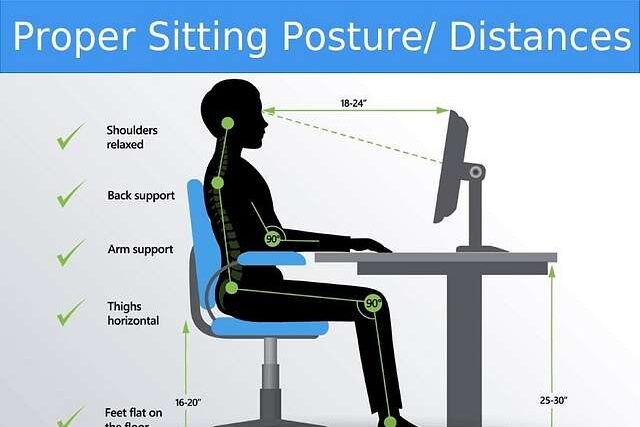
Proper desk height is a key part of creating a comfortable and ergonomic workspace. Desks must allow employees to sit with their feet flat on the floor, knees at a right angle, and arms comfortably bent near 90 degrees. This position helps reduce pressure on the lower back, shoulders, and wrists.
PC placement is equally important. Screens should be at eye level, directly in front of the user, to avoid neck strain. Looking up or down at a monitor for long periods can lead to discomfort and poor posture. Using monitor stands or adjustable arms helps achieve the right height and distance.
Keyboard and mouse placement also affects posture. A keyboard tray can keep wrists straight and aligned with the forearms, which lowers the risk of tension in the hands and arms. When all tools are positioned within easy reach and aligned correctly, employees can work more comfortably and maintain better posture throughout the day. This setup supports long-term health and improves focus during tasks.
Break Rooms and Relaxation Spaces
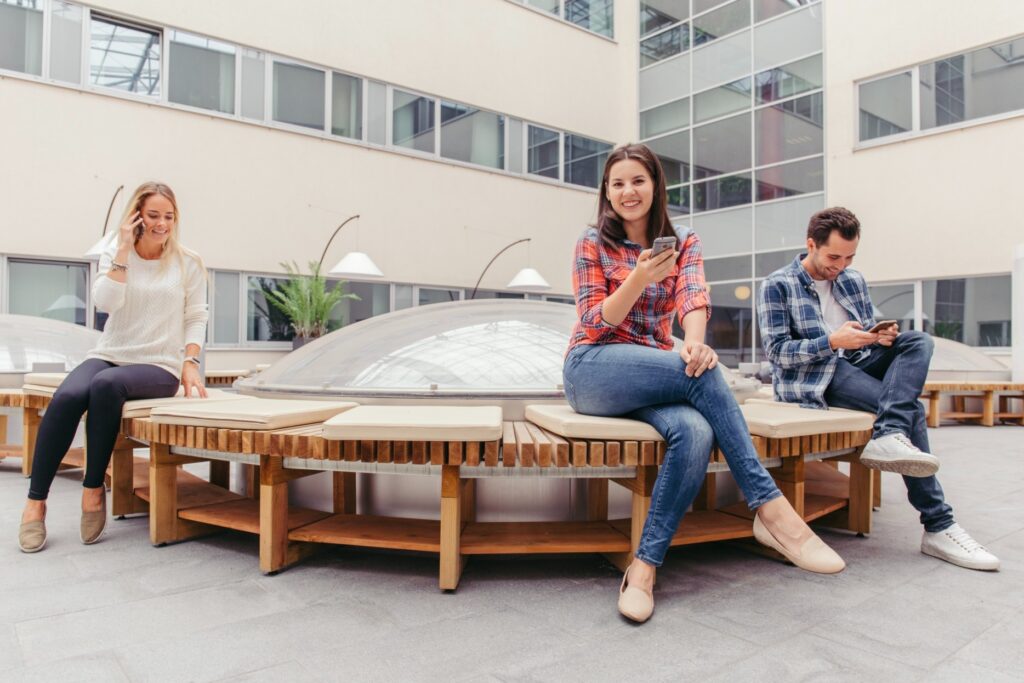
A thoughtful ergonomic office design includes areas where employees can take breaks and unwind. Rest is essential for maintaining energy, focus, and overall well-being throughout the workday. Break rooms and relaxation zones should be designed for comfort, using soft lighting, calming colors, and supportive seating that allows the body to relax.
These spaces give employees a chance to step away from their desks, clear their minds, and reset before returning to work. Providing ergonomic furniture in these areas, such as cushioned chairs with proper support, helps the body recover from long hours of sitting or standing.
Encouraging regular breaks during the day such as short walks or stretching routines can reduce physical strain, boost mood, and increase productivity. Including these rest areas as part of the overall office layout shows a commitment to employee health and creates a more balanced and positive work environment.
5. Ergonomics in Retail and Hospitality Spaces
Customer-Centered Ergonomics
Ergonomics extends beyond employee workstations and plays a key role in shaping customer experience. In retail settings, a well-designed layout allows for smooth movement, reducing crowding and making it easier for customers to browse. Display units and shelves should be positioned at a comfortable height so that items are easy to see and reach, without bending or stretching.
In hospitality environments like hotels, cafes, and restaurants, comfort is central to guest satisfaction. Seating should offer proper support, and spaces must allow guests to move around without difficulty. Thoughtful placement of furniture, clear pathways, and calm lighting all contribute to a welcoming and relaxed atmosphere.
By applying ergonomic principles in public-facing areas, businesses can improve the overall experience, encourage longer visits, and leave a positive impression that supports customer loyalty.
Optimizing Layout for Comfort and Efficiency
In retail and hospitality spaces, ergonomics helps create environments that work well for both employees and customers. Designing checkout counters at a comfortable height allows cashiers to work without strain, improving efficiency and reducing fatigue. This small adjustment can have a big impact on daily performance and long-term health.
For customers, the layout should support comfort and ease of use. Seating areas need to offer enough space between chairs and tables to avoid a crowded feeling. Proper spacing and supportive furniture make waiting, dining, or relaxing more enjoyable. When spaces are planned with both function and comfort in mind, the overall experience becomes smoother, more pleasant, and more inviting.
Ergonomic Design for Staff Areas
Staff workspaces in retail and hospitality settings should be designed with the same ergonomic care given to customer areas. Employees often spend long hours standing, lifting, or moving around, so their environments must support comfort and safety. Break rooms should include supportive seating, proper lighting, and a calm layout that encourages relaxation during rest periods.
Storage areas and workstations must be organized to reduce bending, stretching, or lifting from awkward angles. Shelves should be placed at accessible heights, and tools or equipment should be easy to reach. Using ergonomic furniture in these spaces such as padded stools, anti-fatigue mats, or adjustable counters helps prevent strain and supports daily comfort. Prioritizing ergonomic design for staff areas improves morale, reduces the risk of injury, and supports overall job performance.
6. How Ergonomics Improves Work Domain
Positive Impact on Employee Morale
A workspace that prioritizes ergonomics sends a clear message that a business cares about its employees’ health and comfort. This can have a significant impact on employee morale, leading to increased job satisfaction and a positive work culture. Employees who feel valued and supported are more likely to remain loyal to their employers and perform at their best.
Encouraging Health-Conscious Habits
Ergonomics can also encourage employees to adopt healthier habits. Adjustable desks and chairs promote better posture, while ergonomic accessories help prevent repetitive strain injuries. By prioritizing health in the workplace, companies can reduce absenteeism and improve employee well-being.
Building a Sustainable, Employee-Centric Environment
An ergonomic workspace supports a healthier, more sustainable work environment where people can perform at their best. When businesses invest in comfort and functionality, they create a culture that values employee well-being. This thoughtful approach leads to fewer health issues, higher engagement, and better job satisfaction. Over time, it results in improved productivity, stronger team morale, and a more positive workplace experience for everyone.
7. Conclusion: The Future of Ergonomics in Commercial Interior Design
Prioritizing ergonomics in commercial interior design leads to healthier, more productive, and motivated teams. It creates spaces where people can work comfortably, think clearly, and move with ease. By choosing the right furniture, adjusting layouts for better posture, and focusing on lighting and acoustics, businesses show they value both performance and well-being. An ergonomic environment reduces physical strain, lowers stress, and supports mental focus, which improves overall workplace satisfaction. This thoughtful approach to design doesn’t just enhance daily comfort, it directly contributes to long-term business success by reducing absenteeism and boosting efficiency. When interiors align with the needs of the people who use them, every detail works toward a stronger and more positive work culture.